CRM Automation
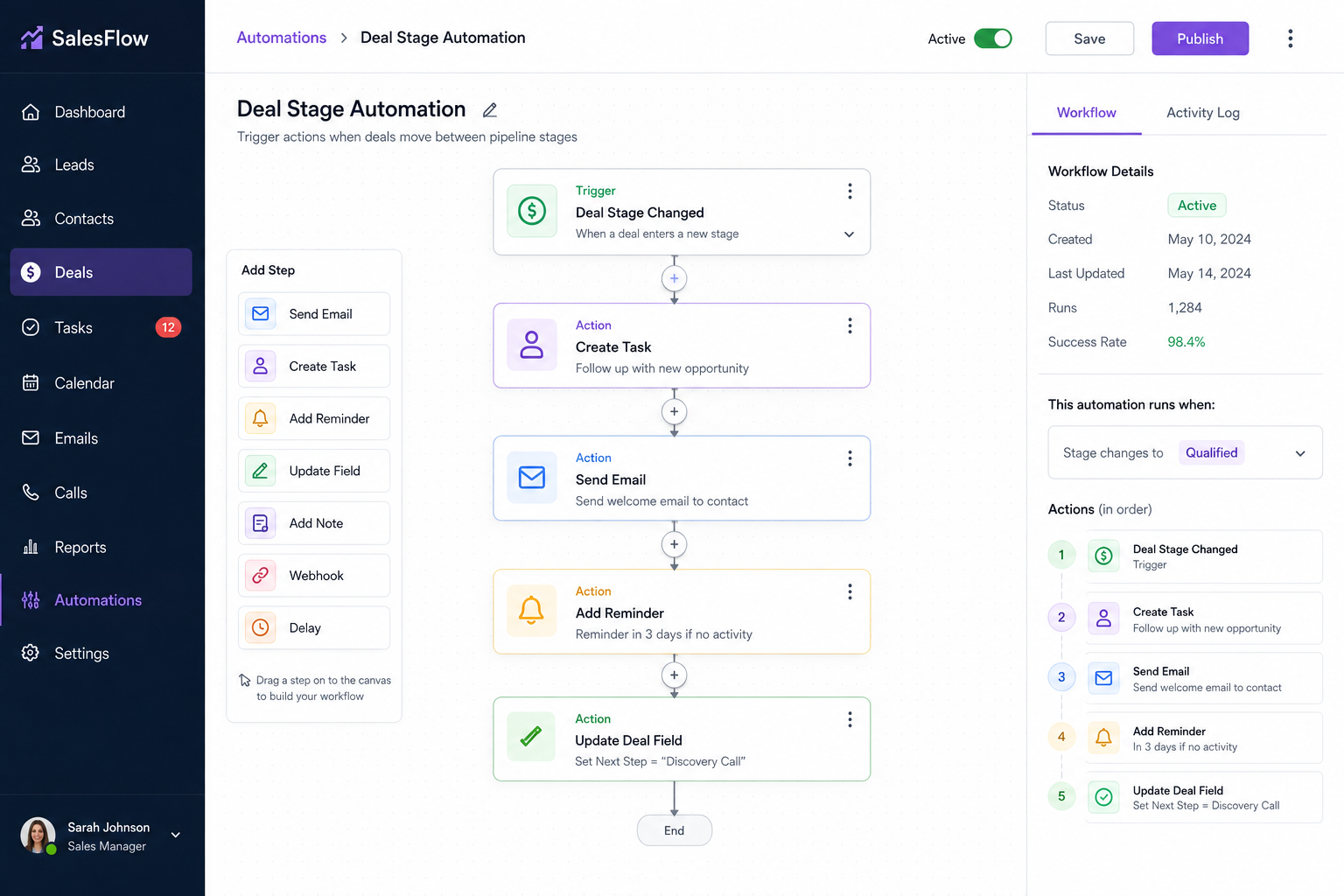
Synchronize client communications, trigger tasks on deal stages, and keep database records accurate automatically.
Capabilities
CRM Processes We Commonly Automate
CRM automation can manage lead intake, pipeline progression, customer communication, task creation, reporting, and sales operations without constant manual maintenance.
From Manual CRM Updates To Automated Pipeline Management
Before CRM Automation
- • Sales reps update records manually
- • Follow-up tasks are forgotten
- • Pipeline stages become outdated
- • Customer communications are scattered
- • Duplicate records accumulate
- • Reports require manual cleanup
- • Leads go cold
- • Management lacks visibility
After CRM Automation
- • Records update automatically
- • Tasks trigger from deal activity
- • Pipeline stages stay current
- • Communications are synchronized
- • Duplicate detection runs automatically
- • Reporting stays accurate
- • Leads receive timely follow-up
- • Management gains visibility
How CRM Automation Works
Capture
Lead activity, customer communications, forms, calls, emails, and operational events are captured automatically.
Trigger
Business rules monitor deal stages, customer activity, deadlines, and pipeline events.
Automate
Tasks, reminders, assignments, communications, and record updates are executed automatically.
Track
Management gains visibility into pipeline performance, follow-up activity, conversion rates, and customer engagement.
Pipeline
CRM Automation Workflow
Visual Tour
What The System Looks Like
Pipeline Dashboard
View active opportunities, customer activity, sales performance, and pipeline progression in real time.
Automated Workflows
Tasks, assignments, reminders, and communications are triggered automatically from CRM activity.
Sales Visibility
Managers gain accurate reporting and operational insight across the entire sales pipeline.
Sales Automation
Common CRM Automation Systems
Lead Management Automation
Automatically assign leads, trigger follow-up workflows, and ensure every inquiry receives attention.
Pipeline Stage Automation
Move opportunities through predefined stages based on customer activity and operational events.
Task & Reminder Automation
Create follow-up tasks, appointments, and reminders automatically when specific conditions are met.
Customer Communication Sync
Keep emails, calls, messages, and interactions attached to the correct customer record.
Sales Activity Tracking
Monitor outreach activity, response rates, appointments, and conversion metrics automatically.
CRM Data Cleanup
Reduce duplicate records, standardize data, and maintain accurate customer information.
Impact
Typical Operational Improvements
Improved Data Accuracy
Reduce missing records, duplicate contacts, and outdated customer information.
Better Follow-Up Consistency
Ensure opportunities receive timely attention through automated workflows.
Pipeline Visibility
Track deal movement, bottlenecks, and sales activity in real time.
Reduced Administrative Work
Minimize repetitive CRM updates and manual record management.
Faster Sales Processes
Automate routine actions so opportunities move through the pipeline more efficiently.
Scalable Sales Operations
Support larger lead volume without increasing administrative overhead.
Compatibility
Built To Work With Existing CRM Platforms
CRM automation works best when connected to the tools already used by sales, operations, and customer service teams.
Automations can synchronize communications, customer activity, lead sources, appointments, operational events, and reporting data.
The goal is to improve CRM adoption and data quality without requiring staff to spend more time maintaining records.
FAQ
Frequently Asked Questions
Q: Can automation trigger based on pipeline stages?
Q: Can it connect to our existing CRM?
Q: Can follow-up reminders be automated?
Q: Can customer communications be tracked automatically?
Q: Can CRM automation improve reporting accuracy?
Related Services
Connected Infrastructure
Lead Follow-Up Automation
Instantly respond to new inquiries via SMS, email, or automated call to maximize conversi…
Customer Onboarding Automation
Deliver intake forms, trigger signature requests, and provision client portals automatica…
Proposal & Quote Automation
Generate accurate pricing proposals dynamically from field-entered variables and send for…
Is Your CRM Becoming A Data Graveyard?
A CRM only creates value when records stay accurate, follow-ups happen consistently, and pipeline activity reflects reality. Automation keeps your CRM working without constant manual effort.