SMS Automation
Broadcast operational alerts, request dispatch feedback, and message clients directly from your central system.
Capabilities
Common SMS Automation Workflows
SMS automation can support customer communication, dispatch operations, lead management, appointment reminders, internal alerts, and business notifications from a centralized platform.
From Manual Texting To Automated Communication
Before SMS Automation
- • Staff manually sends texts
- • Customers wait for updates
- • Dispatchers make status calls
- • Appointments are forgotten
- • Messages are inconsistent
- • Communication is difficult to track
- • Follow-ups are missed
- • Response times vary
After SMS Automation
- • Messages trigger automatically
- • Customers receive instant updates
- • Dispatch notifications are automated
- • Reminders reduce no-shows
- • Communication is standardized
- • Message history is tracked
- • Follow-ups happen automatically
- • Responses are routed instantly
How SMS Automation Works
Trigger
Business events such as new leads, dispatch updates, appointments, invoices, or completed work trigger SMS workflows automatically.
Personalize
Messages are customized with customer names, appointment details, job information, ETAs, balances, or operational updates.
Send
SMS messages are delivered automatically to customers, employees, vendors, or field technicians.
Track
Responses, delivery status, opt-ins, and customer interactions are logged and synchronized with your systems.
Pipeline
SMS Automation Workflow
Visual Tour
What The System Looks Like
Automated Message Triggers
Business events automatically trigger SMS notifications, reminders, and operational alerts.
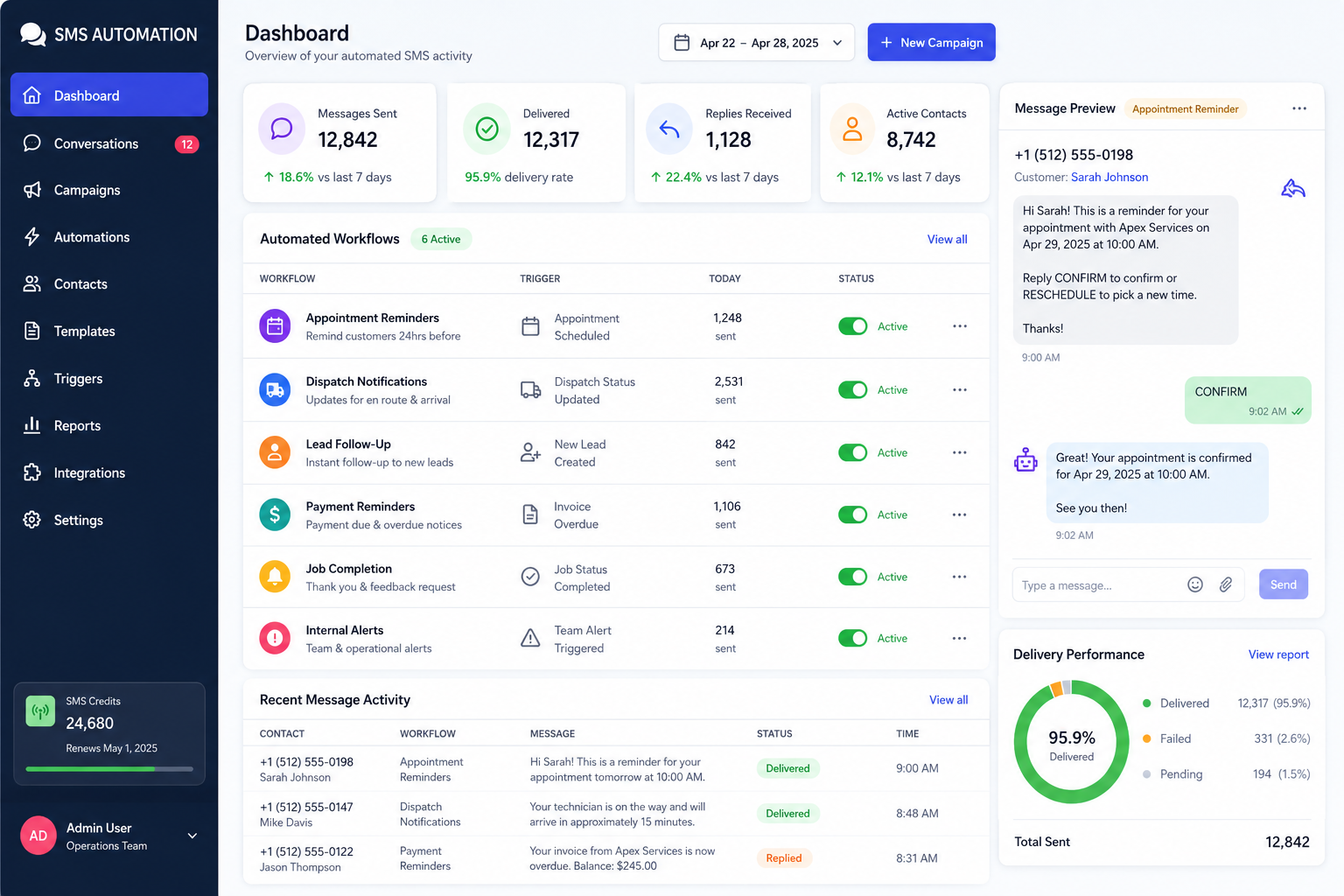
Message Management Console
Monitor campaigns, responses, delivery status, and customer communication activity.
Real-Time Communication
Customers and staff receive instant updates synchronized with operational workflows.
Communication Solutions
Common SMS Automation Systems
Dispatch Notifications
Automatically notify customers when technicians are assigned, en route, delayed, or have completed a job.
Appointment Reminders
Reduce missed appointments with automated confirmations, reminders, and rescheduling links.
Lead Follow-Up Automation
Instantly engage new inquiries with automated SMS responses and follow-up sequences.
Customer Status Updates
Keep customers informed about project milestones, order progress, and service activity.
Payment Reminder Systems
Send balance reminders, invoice notifications, and payment confirmations automatically.
Internal Team Alerts
Notify employees about schedule changes, emergencies, assignments, and operational updates.
Impact
Typical Operational Improvements
Faster Communication
Deliver important updates instantly without relying on phone calls or manual outreach.
Reduced Administrative Work
Automate repetitive messaging tasks that consume staff time every day.
Improved Customer Response Rates
SMS messages typically generate faster engagement than email communication.
Better Operational Visibility
Track message delivery, responses, and communication history from a centralized system.
Consistent Messaging
Ensure customers receive accurate, standardized information every time.
Scalable Communication
Send thousands of messages automatically without increasing administrative workload.
Compatibility
Integrated With Existing Business Systems
SMS automation works best when connected directly to the systems already running your operations.
Messages can be triggered from CRM records, dispatch activity, scheduling software, customer portals, billing systems, and operational databases.
The result is real-time communication without requiring staff to manually send updates.
FAQ
Frequently Asked Questions
Q: Can messages be triggered automatically?
Q: Can customers reply to messages?
Q: Can SMS integrate with our existing software?
Q: Can messages be personalized?
Q: Can we send messages to employees as well?
Still Relying On Staff To Send Routine Text Messages?
Appointment reminders, dispatch updates, customer notifications, and follow-ups can all be automated directly from your operational systems.